


UX Guide is a reference I built to connect behavioural principles, research methods, and workflow guidance in one place.
The problem I was solving
There are many resources for research methods, and behavioural laws and principles, but none of them provide them in a way that suited my way of working; understanding the problem, and wanting to easily find which methods could help solve it.
I built https://uxguide.jamescutts.me because I wanted that ability in a single, maintainable place.
Knowledge in this field is split across formats and sites. Research methods live in articles, books, and templates. Psychology and behavioural science live in separate libraries. Ethics tends to appear as a footnote, or not at all, when teams discuss persuasion patterns.
Sites such as Laws of UX, NN/g, and various method lists are valuable references, but they rarely answer; "Given this symptom, which principles should we consider, and which method would test our assumption?"
I also wanted ethics to sit alongside persuasion patterns, not in a separate conversation. When a team discusses scarcity, urgency, or social proof, the reference should surface trade-offs at the same time as benefits, and they should know when and where to apply these hooks responsibly.
What is UX Guide?
UX Guide combines two parallel domains with shared supporting layers.
Browse mode
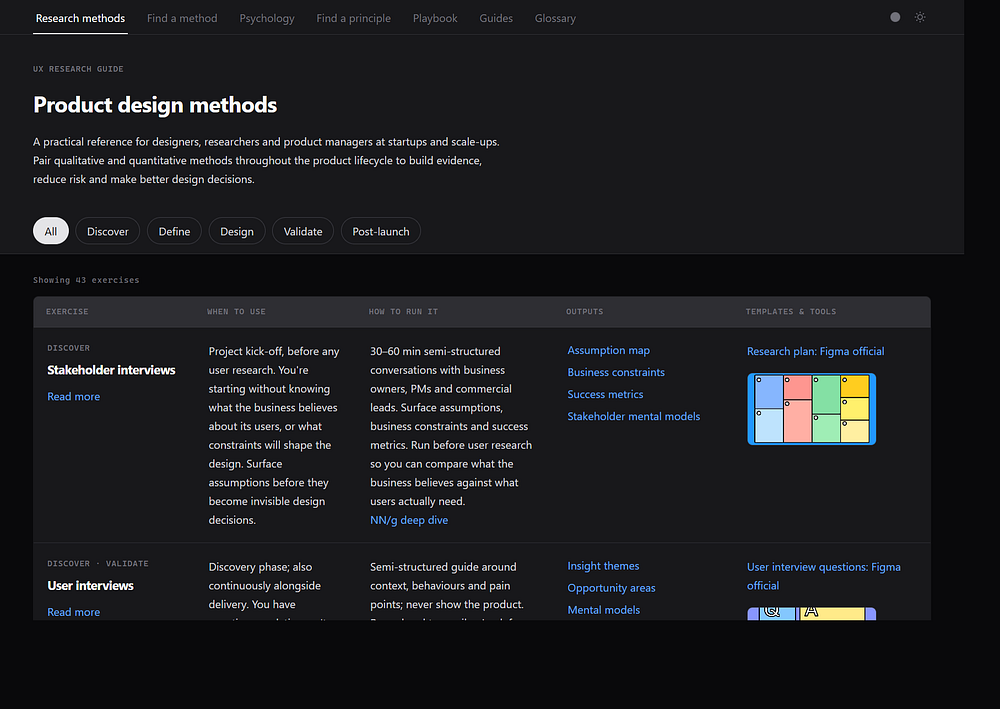
Research methods: a phase-tagged table (Discover, Define, Design, Validate, Post-launch) with 43 exercises. Each row covers when to use the method, how to run it, expected outputs, and links to templates.
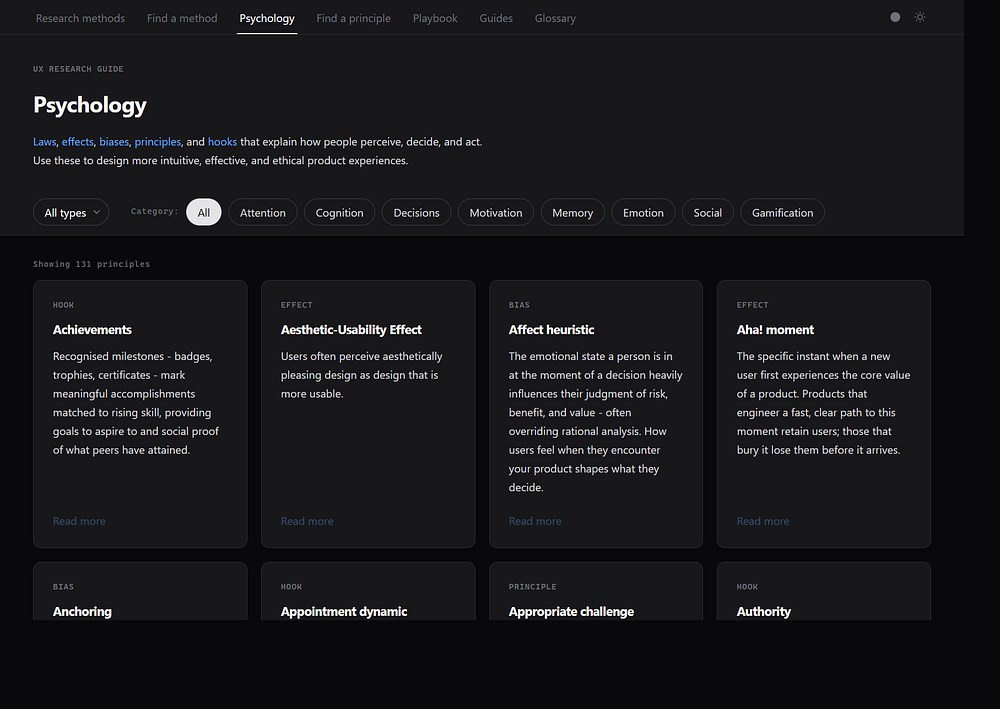
Psychology: a filterable library of 131 principles spanning laws, effects, biases, design principles, and behavioural hooks. Each card links to a detail modal with applications, sources, and related items.
Guided mode
Find a method: the same information architecture for research: a guided flow and a situation lookup table.
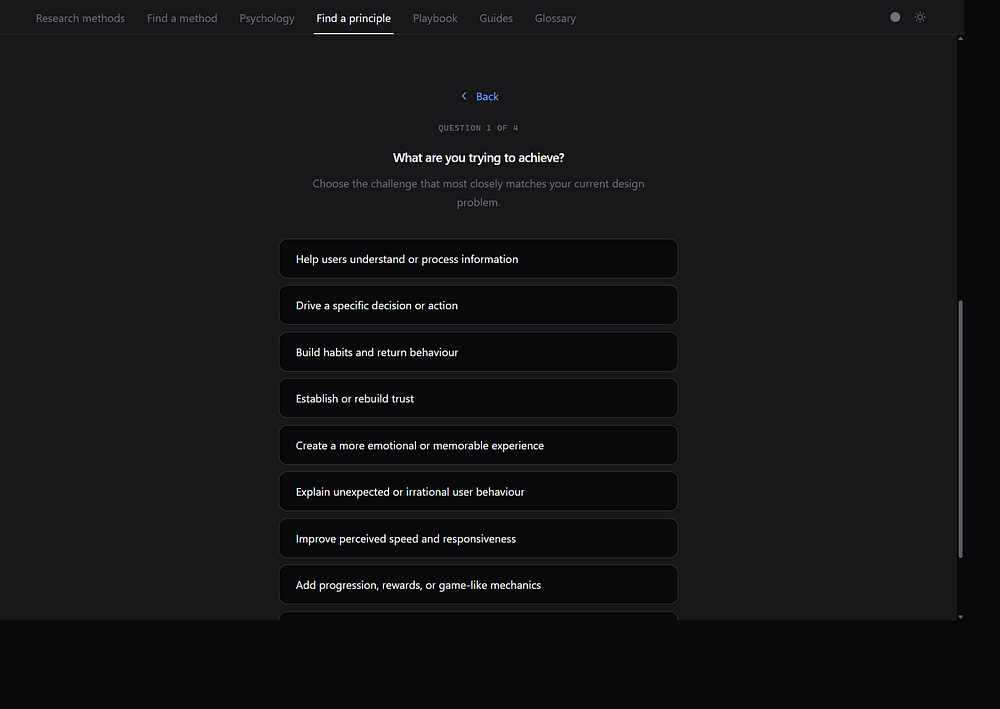
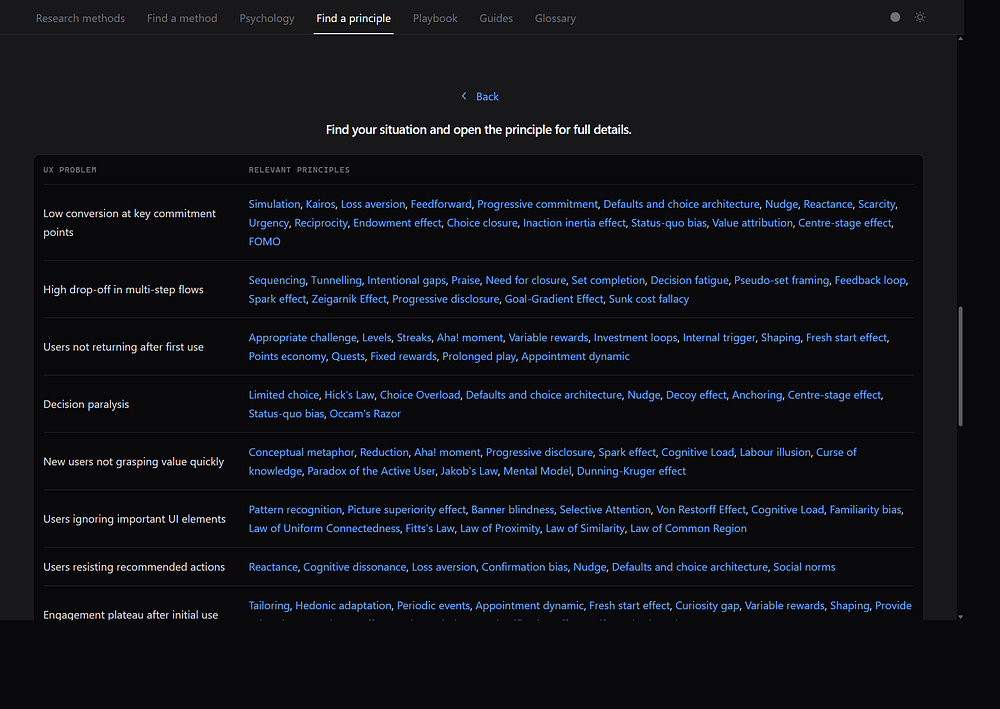
Find a principle: a 37-question wizard with 67 result paths, plus a browse-by-problem table with 24 common UX problem rows (for example, “High drop-off in multi-step flows” or “Trust deficit with new users”).
Shared layers
Playbook: an end-to-end product design workflow, from research planning through validation.
Guides: longer articles on topics such as researcher bias, which bridge methods and principles.
Glossary: 70 terms with sourced definitions for shared team vocabulary.
Key product decisions
Several decisions shaped the original concept into the finished product.
Scope creep
I started with a research methods table: when to use each exercise, how to run it, what outputs to expect.
As I used it, other gaps became apparent. I kept opening separate tabs for Laws of UX, NN/g articles, and bias catalogues when critiquing flows, so I decided to create a definitive resource for behavioural principles that I could then cross reference to help surface them.
The Find A Principle wizard and problem lookup table came from the fact that teams often arrive with a symptom, not a principle name. Knowing when various principles can be applied is challenging without this tool.
The playbook was another scope expansion. Methods and principles are great reference material, but project work follows a sequence: understand the problem space, orient on the landscape, prioritise the issues, then validate. I wrote the playbook as a guide on how a typical project might run, and how the tool would fit into that process.
The glossary came last as an easy way to look up any term used in the platform, and link to the relevant detail. Basically just another way to find what you need.
One resource or two?
At several points I debated splitting UX Guide into two products: a principles site and a research methods site. The two domains serve different mental models. Principles attract designers exploring behaviour; methods attract researchers planning studies. Separate URLs would simplify navigation and allow clearer branding. However, for now it's one source, so less maintenance, and less clicking between sites.
Users who land on methods sometimes need a principle to explain what they found. Users exploring principles sometimes need a method to test a hypothesis. One site makes cross-discovery easier, and makes the resource more useful.
Where the value lies
A resource that works like you do
The library covers perception, cognition, decision-making, motivation, memory, emotion, social influence, and gamification. It goes beyond a short list of laws. Users can find these through various methods, depending on what they already know.
They can browse by phase, by type, by relevance (via the playbook, or research method), or by answering some key questions about their project or users. This versatility makes the tool more valuable than other resources, and it's something that I now refer to daily. As a learning resource it provides reasonable depth, and also provides links to more reading.
An operational handbook
Once a team has a hypothesis about behaviour, the methods describe how to test it. The table includes operational detail: when to use each exercise, how to run it, and what outputs to expect.
The methods wizard follows the same logic as Find a Principle. A team that knows what they need to learn but not how to study it can start from situation rather than method name. That reduces defaulting to familiar methods (surveys, heat-maps) that may not answer the question.
AI-assisted development
I used Cursor to build the platform. The stack is simple: static files, Tailwind colours and spacing tokens, and markdown files for content maintenance and tone of voice.
This reference helps designers surface principles and laws that directly influence user behaviour, and help them complete tasks. It helps surface the right tool for the job, at any step or friction point in a process or journey. It helps reinforce intuition with evidence and established behavioural patterns.
The site is public at https://uxguide.jamescutts.me

No Comments.